












A property management agency is not choosing only a booking calendar. If you manage sales, guests, payments, cleaning, owners and a team, the new system has to support the whole operating process — not only connect Booking.com and Airbnb.
It is therefore more useful to start with real operational questions than with a feature list. Use this guide as a checklist before a demo or as a questionnaire for comparing several vendors. It is not a ranking; the goal is to ask every candidate the same questions.
1. Field operations: cleaning and maintenance
With a larger portfolio, risk often appears between one guest’s departure and the next arrival. Check how the system connects reservations, cleaning, tasks and unit readiness.
Questions to ask the vendor:
- Is there a mobile or simple web interface for cleaners and field staff without access to sensitive financial data?
- Can cleanings or work orders be connected to bookings, arrivals and departures?
- Can staff record status, notes, issues or items requiring follow-up?
- Can reception or operations managers see what is ready, in progress or still needs action?
- How are cleaner days off and unavailability recorded?
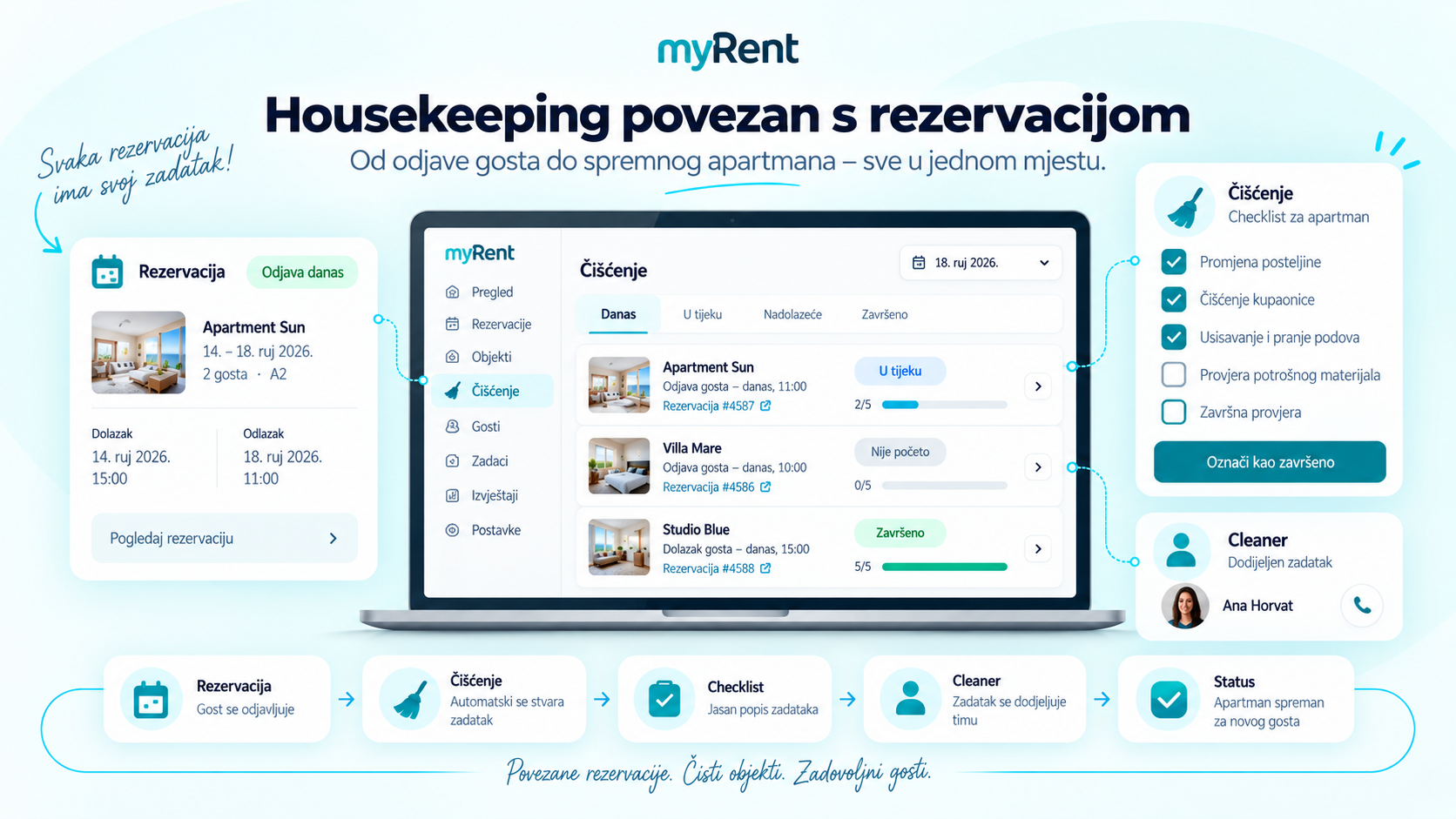
Operations become useful when they are connected to the reservation and the real status of the property.
2. Owner management and statements
An agency managing properties for multiple owners needs clear separation of data, permissions and financial context. During a demo, ask for a concrete owner scenario rather than only a portal screenshot.
Questions to ask the vendor:
- Does the owner have access to bookings, occupancy, revenue or property status?
- Can each owner see only their own properties without access to other owners or agency-wide data?
- Can the system support different commercial or settlement models by owner or legal entity?
- Which reports can be prepared for owners and can they be exported or sent?
- How are bookings, invoices, costs and accounting information tied to the correct owner?
3. Guest communication and team organisation
At higher volume, the problem is not only sending a message. The team needs to know who is waiting for a reply, who owns the conversation and whether a message should become an actionable task.
Questions to ask the vendor:
- Is there a unified inbox for supported OTA channels and other communication?
- Can the team mark conversations awaiting a reply, assign them or convert them into tasks?
- Can messages be automated by event, such as before arrival or after booking?
- Is there a digital process for collecting guest details before arrival?
- If AI is used, which messages can it handle automatically and where does human control remain?
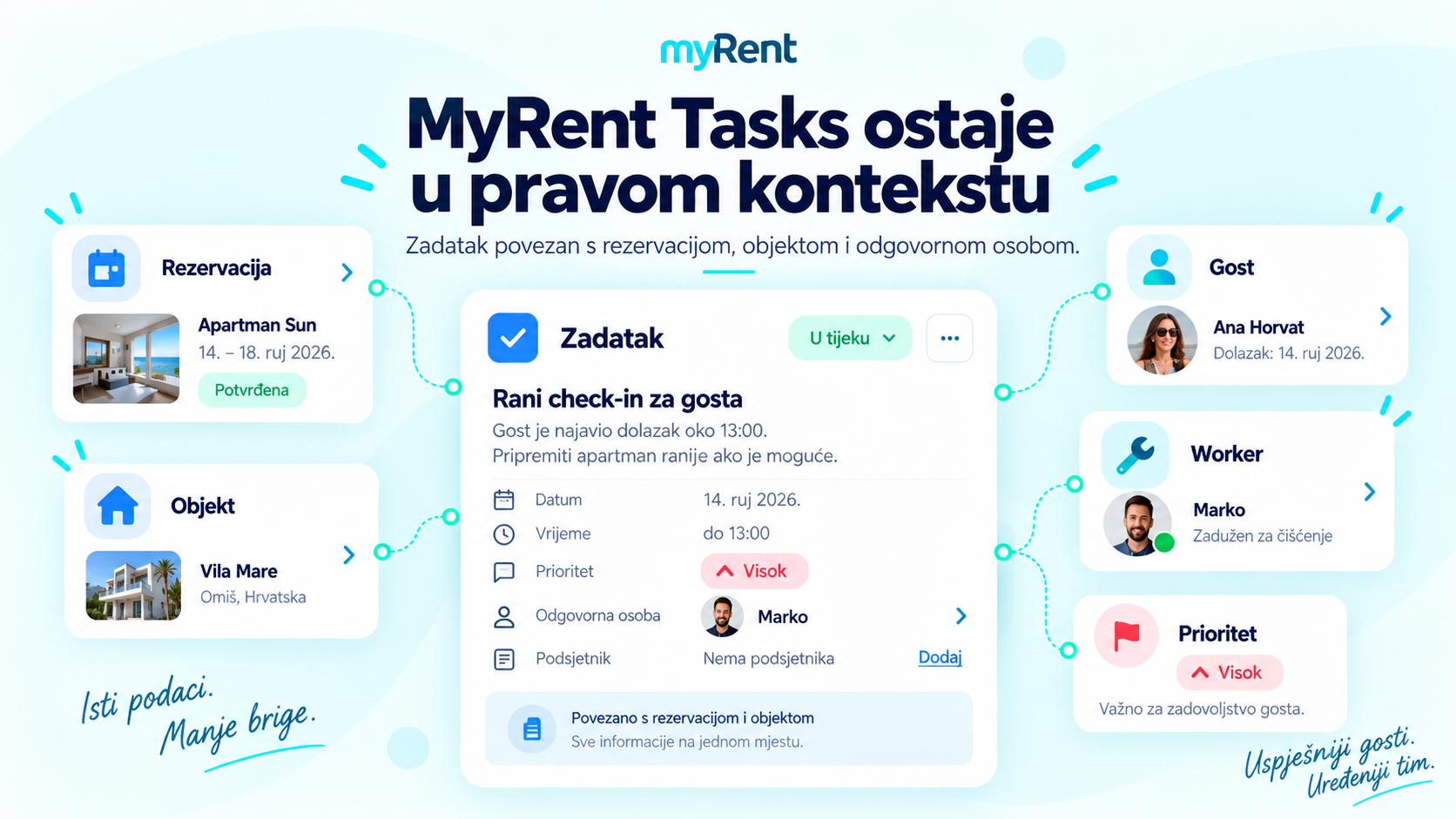
Good operations connect the conversation, task, booking and responsible person.
4. Local processes: guest registration, invoicing, fiscal rules and payments
Local compliance should be checked before choosing a system because it directly affects reception and administration. Requirements differ by market, so ask for the exact workflow relevant to your country.
Questions to ask the vendor:
- How are guest details prepared for the local guest-registration process?
- Can staff scan documents or use details entered by the guest before arrival?
- How does the system support invoicing and relevant fiscal workflows?
- Can it work with multiple legal entities and invoicing models?
- Which payment gateways are supported and which card operations can be automated?
5. Channel Manager and direct sales
The number of OTA logos is not enough. What matters is what each integration actually exchanges and how much manual work remains after setup.
Questions to ask the vendor:
- Are key channels connected through official APIs or only through iCal?
- Which data is synchronised: bookings, availability, prices, restrictions, content or messages?
- How are existing listings and OTA accounts mapped?
- Is there a Booking Engine for direct reservations on the agency website?
- Can the agency use different prices and rules per channel where the integration supports it?
6. Pricing, migration, onboarding and support
The cheapest monthly licence is not necessarily the lowest total cost. Compare the full cost and the time required for migration, training and daily operation.
Questions to ask the vendor:
- How is pricing calculated: per unit, package, module, user or revenue?
- Are there additional fees for onboarding, migration, integrations or extra users?
- What can be migrated from the current system and in which format?
- Who connects existing OTA accounts and validates bookings after migration?
- How is the team trained and what support is available during the season?
How to use this checklist during a demo
Do not let the demo stop at the dashboard. Pick three to five real scenarios from your operation and ask the vendor to walk through them live.
- a new Booking.com reservation followed by a date change
- a guest message that becomes an operational task
- a departure that creates a cleaning requirement before the next arrival
- an owner who should see only their own properties and data
- reception preparing guest registration and an invoice
- an existing property and OTA account moving from the old system to the new one
A simple scoring sheet
Score each system from 1 to 5 on the same criteria. Base the score on a demonstrated workflow, documentation or trial usage — not only on a sales claim.
| Evaluation area |
Software A |
Software B |
Software C |
|---|---|---|---|
| Operations: cleaning, tasks and mobile work |
1–5 |
1–5 |
1–5 |
| Owners, permissions and settlements |
1–5 |
1–5 |
1–5 |
| Local processes: guest registration, invoicing and fiscal requirements |
1–5 |
1–5 |
1–5 |
| Communication, automation and inbox |
1–5 |
1–5 |
1–5 |
| Channel Manager and API integrations |
1–5 |
1–5 |
1–5 |
| Onboarding, migration and support |
1–5 |
1–5 |
1–5 |
| Price relative to the functions you will actually use |
1–5 |
1–5 |
1–5 |
How MyRent fits this checklist
MyRent for property management agencies connects PMS, Channel Manager, multiple properties and owners, guest registration workflows, invoicing, direct bookings, communication and operational functions. Tasks, Team Chat, Inbox/WhatsApp and housekeeping cover work that often happens outside a traditional booking calendar.
MyRent can be tried for 31 days at €0. Paid use is based on an individual offer according to scope, number of accommodation units and required modules or integrations. Before migration, the source system, available data and agreed migration scope are reviewed.
MyRent for property management agencies


