










MYRENT · OFFERS
From guest enquiry to reservation. In one link.
The agent selects accommodation, prices and dates, and the guest receives a modern, personalised online offer. They browse the options, choose accommodation and confirm their selection without confusing emails or PDFs.
- ✓A unique link for the guest
- ✓Changes in real time
- ✓From offer straight to reservation
A QUICK PROCESS
Four steps from conversation to confirmed reservation.
MyRent Offers connects the agency's sales process with the guest experience in one clear flow.
Select accommodation
Search available properties and select dates, prices and options that match the guest's enquiry.
Send one link
The guest receives a unique link to a personalised offer with the selected accommodation.
The guest chooses
They browse the properties, photos, conditions and prices, then choose the option that suits them.
Continue to reservation
After confirmation, the process continues through MyRent and the Guest Portal, including the next steps and payment.
FOR THE AGENT
Create an offer while you are still speaking with the guest.
The agent does not need to write a long email manually. In MyRent, they select available properties, adjust the price when needed and prepare an offer ready to send.
- Search available properties for the requested period.
- Add several accommodation options to one offer.
- Control prices, discounts, amounts and additional details.
- One central offer record in MyRent.


Your offer for a stay
Jeni 2 (grupa) 4
Jeni House 4
FOR THE GUEST
You are not sending a list. You are offering an experience.
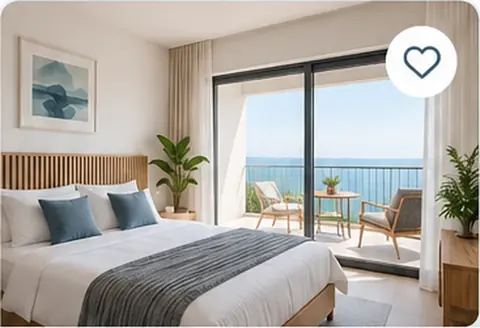
At their own link, the guest receives a professionally presented offer with clear information and selected accommodation. There is no need to search messages for a price or compare several attachments.
- Several accommodation options in one place.
- Clear dates, prices and stay details.
- A view adapted to mobile and desktop.
- Confirm the selection directly from the offer.
IN REAL TIME
Change the offer. Keep the same link.
If the guest's wishes, the price or the selected accommodation change during the conversation, the agent updates the offer in MyRent. The guest sees the current version at the same link.
- No need to resend PDFs.
- No more multiple versions of the same offer in the inbox.
- The agent and guest always see up-to-date information.
Jeni 2 (grupa) 4
Jeni 2 (grupa) 4
WHY IT MATTERS
Faster replies to guests. More professional accommodation sales.
When a guest sends enquiries to several places, a quick, clear reply can be decisive. MyRent Offers shortens the journey from enquiry to decision.
Faster offer creation
The agent selects available properties and can send the offer while the guest is still on the phone.
Clearer choices for guests
All options, prices and dates are in one clear online view.
An offer that stays up to date
Changes are made centrally, while the guest keeps using the same link.
Less manual work
No separate PDFs, spreadsheets or long emails to prepare for every enquiry.
OFFER → RESERVATION
When the guest says “yes”, you do not start again.
The confirmed selection continues through MyRent. Depending on the process configuration, the guest can move on to the connected reservation steps, the Guest Portal, stay information and payment.
MYRENT OFFERS
Reply while the guest is still interested.
Let us show you how MyRent Offers can speed up your agency's sales process — from the first enquiry to a confirmed reservation.


